
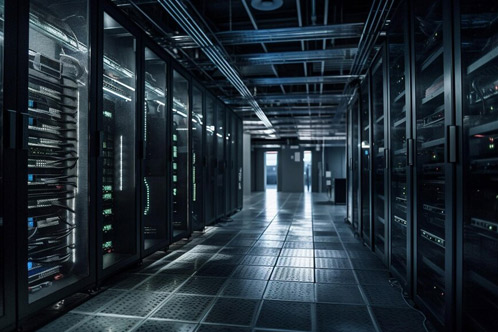
When it comes to server hardware, there are several key components and configurations to consider depending on your needs. Here’s an overview of the key hardware components and types of servers you might encounter:
1. Server Components
-
CPU (Central Processing Unit): The processor is the brain of the server. Servers often use multi-core processors designed for heavy workloads and higher reliability. Popular brands include Intel Xeon and AMD EPYC.
-
RAM (Random Access Memory): Servers typically require more RAM than personal computers, with capacities ranging from 16GB to several terabytes, depending on the workload.
-
Storage:
-
HDD (Hard Disk Drive): Used for large storage but slower than SSDs. They are usually found in enterprise storage systems for cost-effective data storage.
-
SSD (Solid State Drive): Faster than HDDs, SSDs are commonly used for higher performance servers, especially for databases, web hosting, or virtual environments.
-
RAID (Redundant Array of Independent Disks): A technology that combines multiple drives to improve performance, redundancy, or both. Common RAID levels include RAID 1 (mirroring) and RAID 5 (striping with parity).
-
-
Network Interface Cards (NICs): Servers require high-speed NICs to handle large data transfers. Many servers use 10GbE (Gigabit Ethernet) or even higher-speed connections (e.g., 25GbE, 40GbE).
-
Power Supply Units (PSUs): Servers often have redundant power supplies to ensure high availability. They are designed to handle continuous operation and provide stable power.
2. Types of Servers
-
Rack Servers: These are typically mounted in 19-inch server racks and are often used in data centers or enterprise environments. Rack servers are modular and easy to scale.
-
Tower Servers: Resembling a standard desktop PC, tower servers are standalone systems often used by small businesses or in remote locations.
-
Blade Servers: Blade servers are ultra-dense and fit into a chassis that can house multiple blade units. They're great for high-density computing and are used in large-scale environments where space and energy efficiency are critical.
-
Tower Servers: Standalone units designed to stand upright, usually for smaller deployments.
3. Server Form Factors
-
1U, 2U, 3U, etc.: These numbers indicate the height of a rack server. 1U is 1.75 inches tall, and a 2U server would be double that. Larger servers with more powerful configurations typically use 2U or 3U form factors.
-
Blade Servers: These are designed to fit into a shared chassis. A single blade server is much smaller than a traditional rack server.
4. Considerations for Choosing Server Hardware
-
Workload: What are you going to use the server for? For web hosting, you'd need fast storage (SSDs) and reliable networking (10GbE NICs). For database workloads, you'd prioritize more RAM and CPU power.
-
Scalability: Make sure the server can grow with your needs. Rack and blade servers tend to be more scalable in large data center environments.
-
Redundancy: To ensure high availability, you should consider servers with redundant power supplies, cooling systems, and network connections.
-
Cooling: Servers generate a lot of heat, so good cooling is critical. Many servers come with built-in fans, but in data centers, additional cooling may be necessary.
-
Virtualization: If you're using the server for virtual machines (VMs), it’s important to have enough CPU cores, RAM, and fast storage to handle multiple virtualized workloads.
5. Popular Server Brands
-
Dell PowerEdge: Dell offers a wide variety of rack, tower, and blade servers that are scalable and designed for enterprise environments.
-
HPE ProLiant: Hewlett Packard Enterprise (HPE) is another major player, offering a range of servers suited for both small businesses and large data centers.
-
Lenovo ThinkSystem: Lenovo’s server lineup is known for reliability and is often used in small to mid-sized businesses.
-
Supermicro: Supermicro is known for highly customizable servers and is widely used in high-performance computing environments.
-
IBM: IBM has powerful enterprise servers like the IBM Z series, which are used for large-scale mainframe computing.
6. Server Storage Options
-
NAS (Network Attached Storage): Ideal for file storage that needs to be accessed by multiple servers or clients on a network.
-
SAN (Storage Area Network): A high-speed, dedicated network of storage devices. SANs are often used in environments where speed and redundancy are critical.
-
Direct-attached Storage (DAS): Storage that is directly connected to a server, such as internal hard drives or SSDs, typically used for smaller setups.
7. Data Center Considerations
-
Redundancy: It’s important to design a system that ensures continuous uptime. Using multiple power supplies, backup cooling, and redundant hardware can protect against failures.
-
Security: Servers often hold sensitive data. It’s important to ensure physical and digital security, including firewalls, encryption, and access control mechanisms.
8. Cloud vs. On-Premises
-
If you're considering server hardware for on-premises deployment, it’s a good idea to also compare cloud hosting options, as cloud services like AWS, Microsoft Azure, and Google Cloud can provide scalable and flexible server solutions.
Let me know if you'd like more specific recommendations for certain types of workloads or configurations!